

taes_sil
Active Member
buenas soy nuevo por aqui
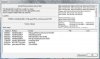
hace poco q e adquirido lotr la batalla por la tierra media lo instalo correctamente pero al moverlo me sale un error q dice exception_access_violation y no tira
a se debe
a continuacion paso a detallar mi maquina
sistema operativo: windows vista business (6.0,compilacion 6001)genuino con sp1
placa base: gigabyte G33M-S2
bios:award modular bios v6.00pg
procesador: intel core 2 extreme q6800 (4cpus) x 2.93 ghz
memoria : 4 x 1gb ddr2 800
grafica :geforce 8800 gts 640 mb
disco duro: 2 x 500gb ****** ata 2
grabadora dvd y lectora
sonido: integrado en placa
red: d-link dwa-547 (chip atheros)
espero q me podais ayudar y gracias
hace poco q e adquirido lotr la batalla por la tierra media lo instalo correctamente pero al moverlo me sale un error q dice exception_access_violation y no tira
a se debe
a continuacion paso a detallar mi maquina
sistema operativo: windows vista business (6.0,compilacion 6001)genuino con sp1
placa base: gigabyte G33M-S2
bios:award modular bios v6.00pg
procesador: intel core 2 extreme q6800 (4cpus) x 2.93 ghz
memoria : 4 x 1gb ddr2 800
grafica :geforce 8800 gts 640 mb
disco duro: 2 x 500gb ****** ata 2
grabadora dvd y lectora
sonido: integrado en placa
red: d-link dwa-547 (chip atheros)
espero q me podais ayudar y gracias